


How to Make a Direct Payment to the IRS (C-Corp Businesses)
Here are instructions for using Direct Pay Business to make a payment to the IRS.
- Visit the IRS Direct Pay Business Page
- Select "Form 1120 Corporation Income Tax" for Apply Payment To and enter the appropriate information for the remaining fields. Then, click "Continue."
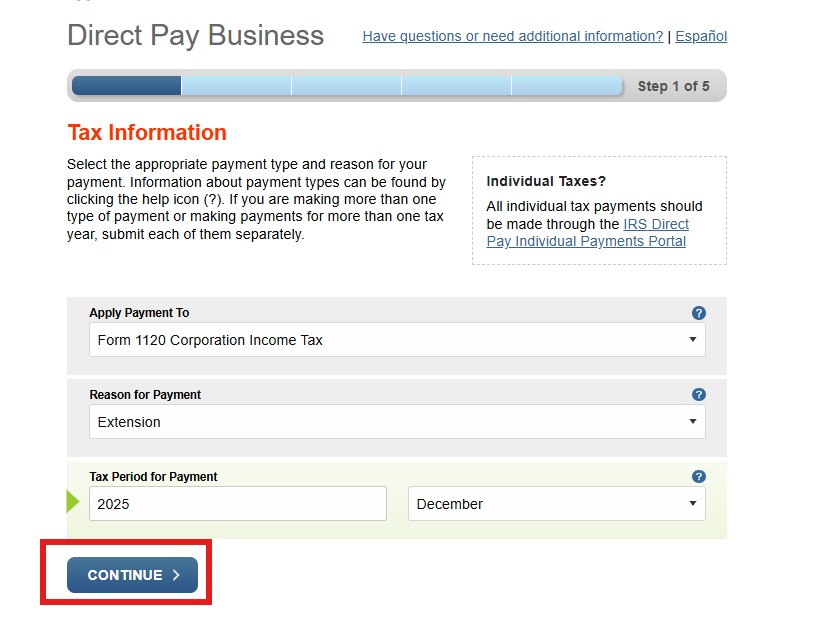
- Please note that the screenshot above is specifically for an "Extension" as the Reason for Payment, which would be made if a business was extending their tax return beyond the initial filing deadline and anticipates being in a balance due position to the IRS.
- If you completed a timely filing of your tax return and are paying the balance due, please select "Balance Due or Payment Plan/Installment Agreement" as the Reason for Payment.
- If you are making a Quarterly Estimated Tax Payment, please select "Estimated Tax" as the Reason for Payment.
- For the Tax Period for Payment, select the year of the tax payment. If you are making an Extension or Balance Due Payment, you can input December as the month.
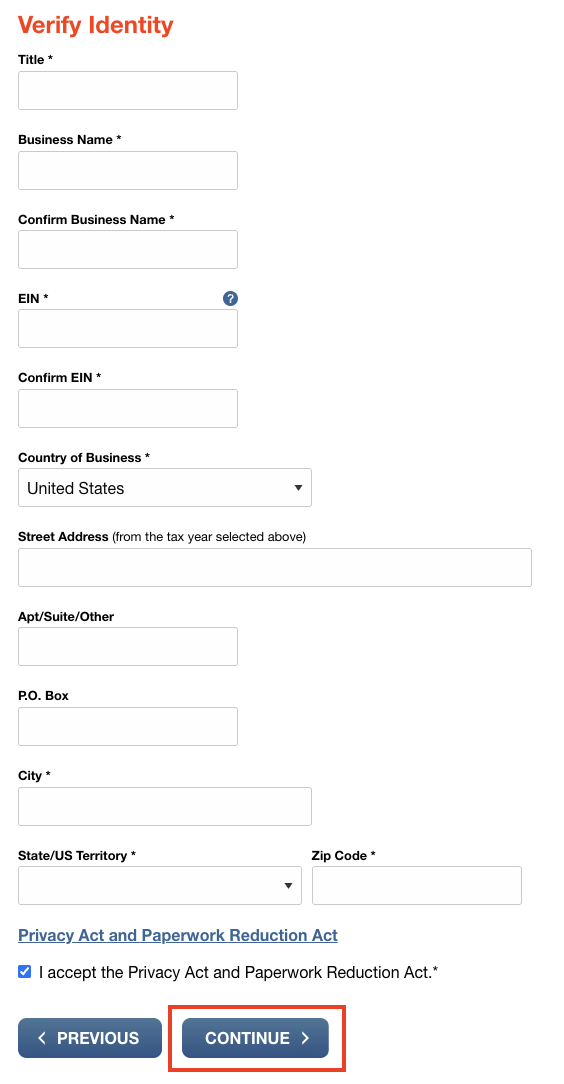
- On the next screen, there is some identity verification. Enter the appropriate information (and note that special characters are not allowed in the Business Name field, so please remove any commas, periods, etc.), then hit the "Continue" button.
- On the next screen you will enter the payment information. For the Payment Date, please make sure to select a date before the tax deadline (usually April 15 of the current year). Note that payments made after 3 PM/ET will not be processed the same day.
- Enter and confirm the payment amount.
- Be sure to enter an email address to receive the confirmation of payment, and we would greatly appreciate it if you would forward the payment confirmation to our team so that we can confirm the payment amount and date and keep it for our records.
- Finally, you will proceed to submit your payment.
As always, if you have any questions, please reach out to our team at tax@jhandco.com.